
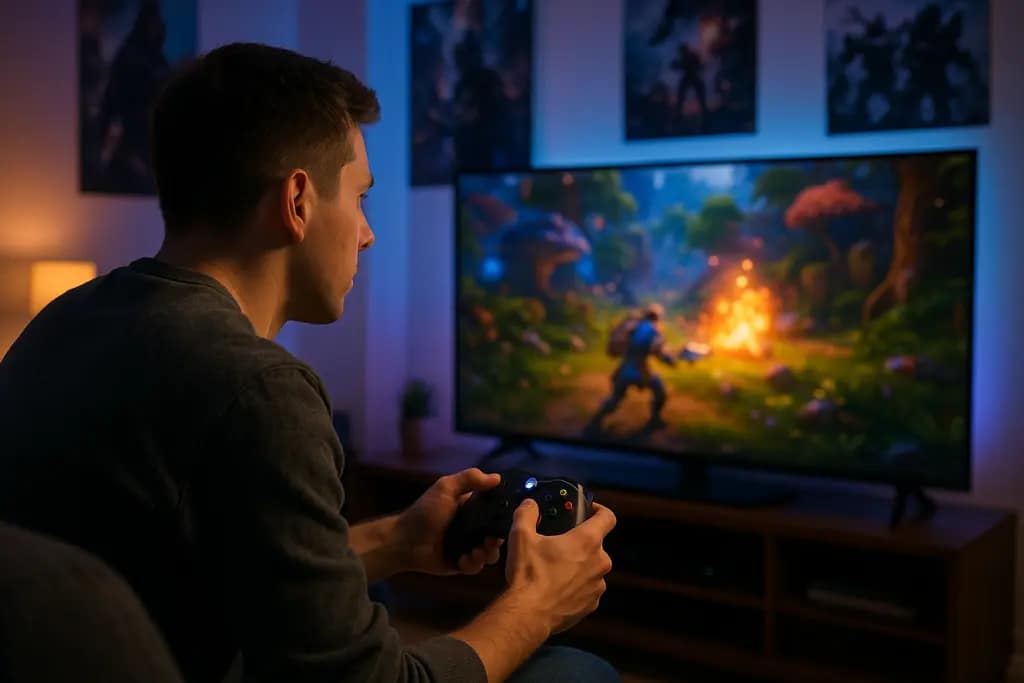

Xbox Cloud Interface changes in 2026 gave cloud players a cleaner entry point, but the practical impact depends on what you play, where the title is supported, and how much you value lower friction before a session starts. Microsoft’s public preview, launched on January 26, 2026, focused on updated navigation, a console-like layout, and a refreshed presentation for Xbox Cloud Gaming on the web, according to the Xbox Wire preview note. That does not prove faster streams or lower input delay by itself. It does show Microsoft treated the interface as part of the cloud experience, not just a menu wrapped around streaming.
That distinction matters for players. Cloud gaming problems are often framed as video quality, latency, or connection stability, but the interface also shapes whether the service feels usable. A confusing library view can waste time before the stream even starts. A layout that expects mouse input can feel awkward on a couch or handheld. A post-session pop-up can be helpful if it shows achievements and captures, or annoying if it interrupts the next launch. The 2026 changes addressed some of that front-end friction, while leaving the harder network-side questions open.
Xbox Cloud Interface Changes That Matter
Xbox Cloud Interface Navigation
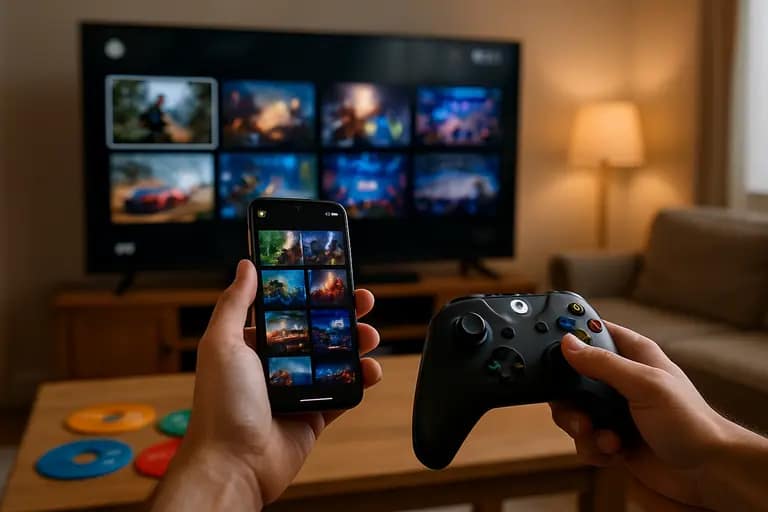
The most concrete change from Microsoft’s January 26, 2026 preview was the move toward updated navigation and a console-like layout for the web experience. For the Xbox Cloud Interface, that is a user-experience shift rather than a raw performance claim. The interface can make cloud play feel less like opening a separate browser tool and more like using an Xbox-adjacent library surface. That is useful for players who move between console, PC, and browser, because the less time spent interpreting the front end, the faster a session can begin.
Still, a cleaner menu should not be confused with proof of better gameplay response. The supplied research does not include independent load-time tests, input-lag measurements, or failure-rate data for the preview interface. Without those figures, the safer read is that Microsoft improved the presentation and pathfinding around cloud play. Whether that improvement saves meaningful time will vary by library size, device, and how often a player switches games.
Why Console-Like Layout Helps
A console-like layout has a clear audience: players who use controllers, televisions, handheld PCs, or couch setups where small desktop-style menus are a poor fit. In cloud gaming, that can change the first minute of play. If the play button, recent games, and library categories are easier to read from a distance, cloud gaming feels closer to the standard Xbox routine.
There is a consumer caveat. Familiar layout can also hide the fact that cloud and local play are not equal experiences. A local install is affected by storage, hardware, and patches. A cloud session depends on availability, server-side support, and network behavior. A better front end can reduce confusion, but it cannot remove those differences. Players should treat the interface as a launch aid, not a guarantee that every supported title will feel local.
Visual Quality And Latency Claims
1440p Support Has Limits
The February 2026 update added support for 1440p resolution streaming for select console cloud gaming titles. The same report said Microsoft connected this with latency improvements over the prior couple of years, framing the result as closer to local play for many supported titles and regions, while also noting PC app post-game recaps for Xbox Insiders that summarize items such as achievements and captures in the February update coverage. Those are meaningful changes on paper, but the wording matters: select titles, supported regions, and “closer” do not mean identical.
For players with a 1440p monitor, the visual upgrade can make cloud play more appealing, especially in games where image clarity affects reading distant objects, UI elements, or fine environmental detail. For players on a 1080p screen, the practical benefit may be smaller. For players on unstable connections, a higher target resolution can become less valuable than a stable stream. The research provided here does not include bandwidth targets or comparative capture analysis, so the safest advice is to test the same game at your normal play time and judge consistency rather than a single good launch.
Resolution Is Not The Whole UX
Cloud gaming user experience is a chain. The interface gets you to the game. The video stream presents the game. The input path determines whether it feels playable. A sharper image can make a title look better, but it will not compensate for stutter, session drops, or input delay. Microsoft’s 2026 interface and streaming changes should be read as incremental steps across that chain.
This is where players should be cautious about marketing-style language. “Closer to local play” may be accurate for some supported titles and regions, but it is not a universal promise. A fighting game, rhythm game, or competitive shooter can expose delay more aggressively than a turn-based game or slower single-player title. The interface may be improved for both, but the tolerance for cloud-side delay is genre-specific.
App Flow, Recaps, And Device Switching
Session Wrap-Ups Can Help Or Distract
Post-game recaps are a small feature with a clear quality-of-life angle. If a session ends and the app summarizes achievements, captures, or similar activity, players get a quick record of what happened without opening separate menus. That can be useful after short cloud sessions, where the value of play may come from a quick achievement, a screenshot, or a few minutes of progress.
The possible downside is interruption. Cloud gaming often fills small gaps: a lunch break, a hotel session, or a handheld check-in away from the main setup. A recap that appears after every session could feel like clutter if it slows the next action. The research notes that these recaps are customizable or can be disabled, which is the right direction from a consumer-control standpoint. Features that report progress should stay optional, especially in an app already carrying store, library, and streaming responsibilities.
Handheld And PC Setup Notes
For PC and handheld players, interface design has a direct comfort cost. If the app assumes a desk, it can be clumsy on a compact screen. If it assumes a controller, it can be slower for mouse users. The 2026 direction toward a more console-like cloud surface suggests Microsoft understands that Xbox play is no longer tied to one device shape.
Before relying on cloud play as a main setup, players should check a few basics:
- Display match: Use 1440p streaming only where the display and title support make that useful.
- Control path: Test the game with the same controller or input device you plan to use regularly.
- Session type: Try both a short launch and a longer play session, because quick starts do not reveal all stability issues.
- Recap settings: Leave post-game recaps on if they help track progress, and turn them off if they slow your routine.
For a more comprehensive view of gaming topics within the network, MostPlays offers a wide range of related play and release discussions. Nonetheless, the setup checks above should commence with the detailed Xbox changes and your own hardware.
Xbox Cloud Interface User Experience
What Players Should Check First
The Xbox Cloud Interface made cloud play easier to approach in 2026 by improving the front end, aligning it more closely with console habits, and pairing that direction with select 1440p streaming support. That is a real usability gain for players who bounce between browser, PC app, console, and portable screens. It reduces the feeling that cloud gaming is a side entrance to the Xbox library.
The cautious read is that the biggest unanswered questions are still measurable ones. The supplied research does not provide independent benchmarks for app speed, stream startup time, latency, or satisfaction changes after the preview. As of October 15, 2026, the evidence supports a better-organized interface and sharper streaming options for supported cases, not a blanket claim that cloud play now matches local hardware. Players should test the games they care about, on the device they use most, before treating cloud as a full replacement for installs.